What Is a Delegate in C#? A Beginner's Guide With Real Examples
Learn C# delegates from scratch: what they are, how to declare and invoke them, multicast chaining, and when to use Func vs Action. With real examples.
You're building a notification system. Depending on the user's preference, you need to send an email, a text message, or a push notification, but you don't want to write three separate versions of the same notification logic. You just want to plug in the right delivery method at runtime.
That's exactly the kind of problem delegates were born to solve.
If you've been writing C# for a little while and keep bumping into the word "delegate" without fully understanding what it does or why it exists, this post is for you. We're going to break it down from scratch.
What Even Is a Delegate?
Let's start with a simple analogy.
Imagine you run a courier company. You don't personally deliver every package; you hire a delivery agent and say: "Here's the address, here's the package, go do your thing." You don't care if they use a bicycle or a van. You just care that they match the job description: pick up a package and deliver it to an address.
A delegate in C# works exactly like that job description. It says: "I need a method that takes these inputs and returns this type of output." Any method that matches that description can be assigned to the delegate and executed through it.
In more technical terms: a delegate is a type-safe function pointer. It's a reference type that holds a reference to a method (or multiple methods). You can pass it around, store it in a variable, or invoke it later, just like any other value.
This is what makes delegates incredibly powerful. They let you treat methods as first-class citizens, things you can pass, return, and store, not just call directly.
Declaring Your First Delegate
Here's the basic syntax:
[access modifier] delegate [return type] [delegate name]([parameters]);
Think of this as writing the "job description" for the kind of method you want to hold. For example:
public delegate void NotifyUser(string message);
This declares a delegate named NotifyUser. It accepts one string parameter and returns nothing (void). Any method anywhere in your codebase that matches this exact signature (takes a string, returns void) can be assigned to this delegate.
Three Steps to Using a Delegate
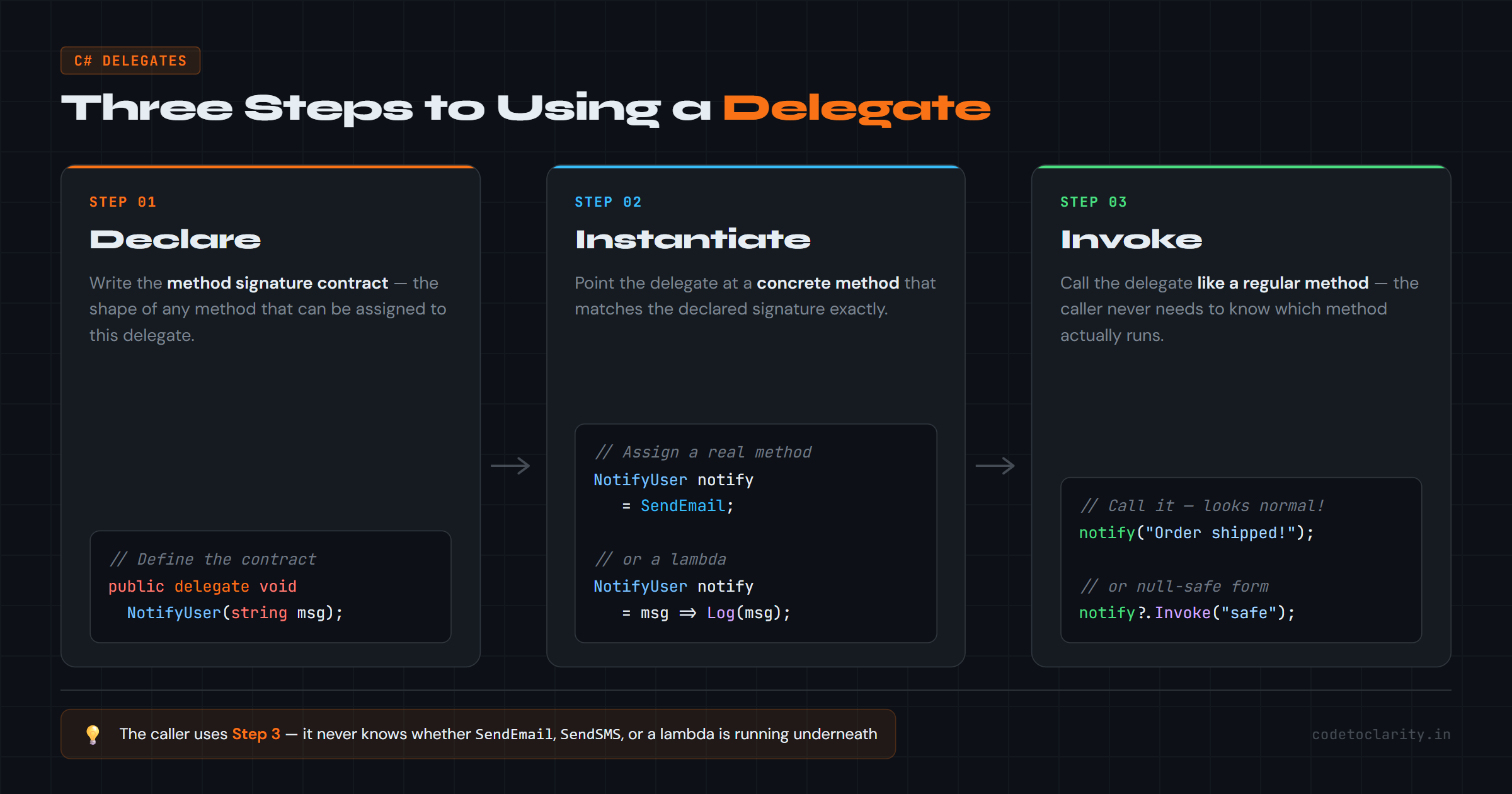
Working with delegates always follows three steps:
- Declare the delegate type
- Instantiate it by pointing it at a method
- Invoke it to run that method
Let's build this out with a real example:
// Step 1: Declare
public delegate void NotifyUser(string message);

class CodeToClarity
{
    static void Main(string[] args)
    {
        // Step 2: Instantiate → point the delegate at a method
        NotifyUser notify = SendEmail;

        // Step 3: Invoke → call it like a regular method
        notify("Your order has shipped!");
    }

    static void SendEmail(string message)
    {
        Console.WriteLine($"[Email] {message}");
    }
}
Output:
[Email] Your order has shipped!
Notice something clean here: notify("Your order has shipped!") looks like a normal method call. But under the hood, it's calling SendEmail, which we assigned to the delegate earlier. The caller doesn't need to know which method will run.
You can also instantiate using the new keyword or a lambda expression:
// Using new keyword
NotifyUser notify = new NotifyUser(SendEmail);

// Using a lambda expression
NotifyUser notify = (msg) => Console.WriteLine($"[SMS] {msg}");
All three forms are valid. In modern C#, the shorthand assignment is most common.
Why Not Just Call the Method Directly?
Fair question. If you already know you want to call SendEmail, why go through a delegate?
The answer is flexibility and decoupling.
When a method accepts a delegate as a parameter, it doesn't need to know what will happen; it just needs to know the shape of what will happen. This is the foundation of callback-based design, event systems, and the strategy pattern.
public delegate void NotifyUser(string message);

class CodeToClarity
{
    static void Main(string[] args)
    {
        ProcessOrder("Order #1042", SendEmail);
        ProcessOrder("Order #1043", SendSMS);
    }

    static void ProcessOrder(string orderId, NotifyUser notifyMethod)
    {
        // ... do order processing logic ...
        Console.WriteLine($"Processing {orderId}...");
        notifyMethod($"{orderId} is complete!");
    }

    static void SendEmail(string message)
    {
        Console.WriteLine($"[Email] {message}");
    }

    static void SendSMS(string message)
    {
        Console.WriteLine($"[SMS] {message}");
    }
}
Output:
Processing Order #1042...
[Email] Order #1042 is complete!
Processing Order #1043...
[SMS] Order #1043 is complete!
ProcessOrder doesn't care how the user gets notified. It just calls whatever method it was given. You can add a SendPushNotification method tomorrow and pass it in without changing ProcessOrder at all. That's the power.
Multicast Delegates: One Delegate, Many Methods
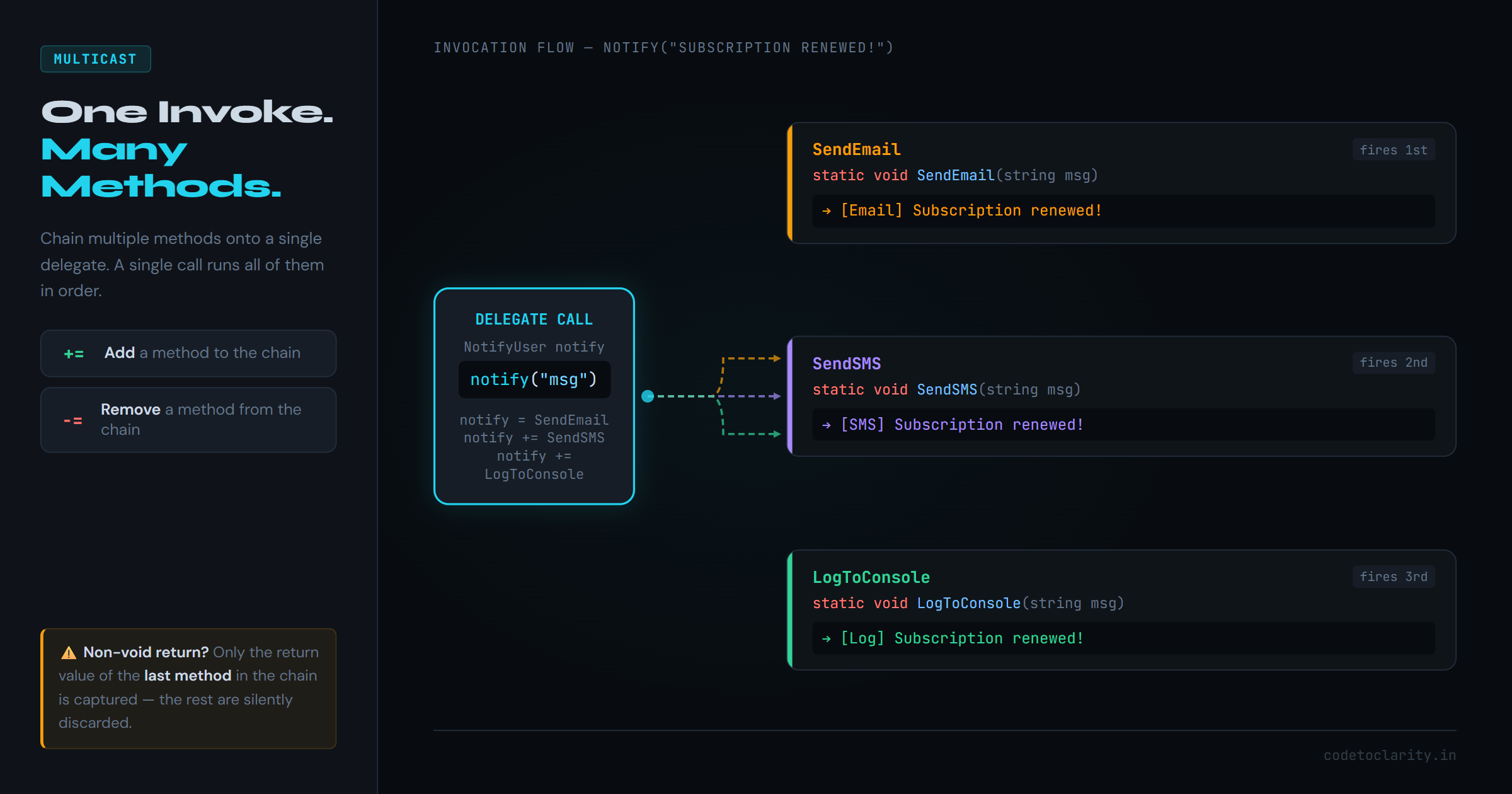
Here's where things get interesting. A delegate doesn't have to point to just one method. You can chain multiple methods together using the + or += operator, and invoking the delegate will call all of them in sequence.
public delegate void NotifyUser(string message);

class CodeToClarity
{
    static void Main(string[] args)
    {
        NotifyUser notify = SendEmail;
        notify += SendSMS;
        notify += LogToConsole;

        // This will invoke ALL three methods
        notify("Your subscription has been renewed!");
    }

    static void SendEmail(string message) =>
        Console.WriteLine($"[Email] {message}");

    static void SendSMS(string message) =>
        Console.WriteLine($"[SMS] {message}");

    static void LogToConsole(string message) =>
        Console.WriteLine($"[Log] {message}");
}
Output:
[Email] Your subscription has been renewed!
[SMS] Your subscription has been renewed!
[Log] Your subscription has been renewed!
You can also remove methods using -=:
notify -= SendSMS; // Remove SMS from the chain
notify("Your password was changed!"); // Only Email + Log now
This is called a multicast delegate, and it's the backbone of C#'s event system. Every event in C# is built on top of multicast delegates.
One thing to keep in mind: If your delegate has a non-void return type and multiple methods are chained, only the return value of the last method in the chain is captured. The rest are silently discarded. For this reason, multicast delegates work best with
voidreturn types.
Built-in Delegates: Func, Action, and Predicate
Custom delegates are great, but you'll quickly notice something: most delegates you write follow the same basic pattern. "Takes some inputs, maybe returns something."
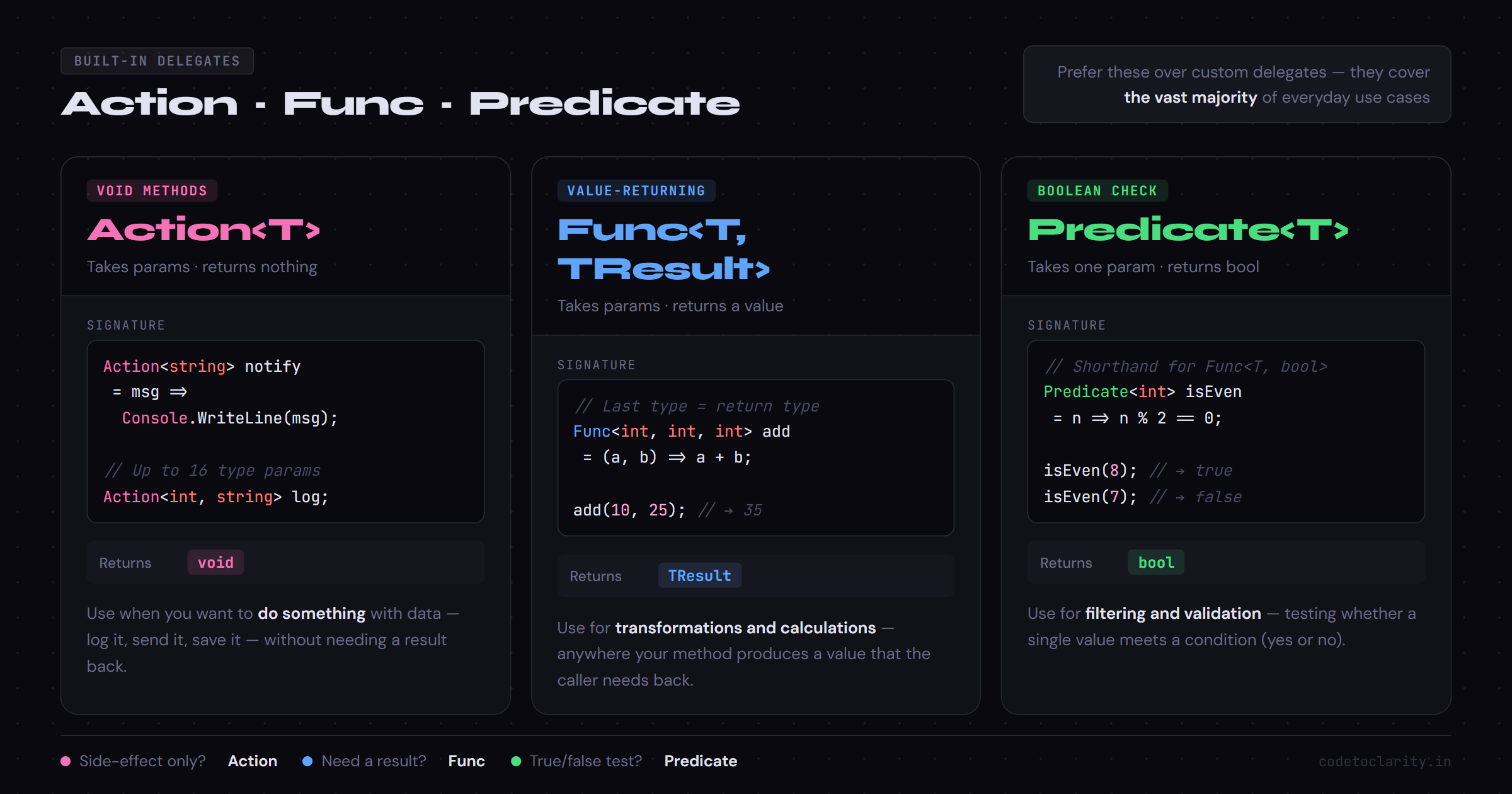
The .NET team noticed this too, so they added generic built-in delegate types that cover the vast majority of use cases. You should prefer these over custom delegates whenever possible.
Action<T>: for void methods
Action represents a method that takes parameters but returns nothing (void).
Action<string> notify = (msg) => Console.WriteLine($"[Notify] {msg}");
notify("Hello from Action!");
Func<T, TResult>: for methods that return a value
Func represents a method that returns a value. The last type parameter is always the return type.
Func<int, int, int> add = (a, b) => a + b;
Console.WriteLine(add(10, 25)); // 35
Predicate<T>: for boolean checks
Predicate<T> is a shorthand for Func<T, bool>, a method that takes one argument and returns true or false.
Predicate<int> isEven = (n) => n % 2 == 0;
Console.WriteLine(isEven(8));  // True
Console.WriteLine(isEven(7));  // False
Here's the rule of thumb: if you're about to declare a custom delegate and your method signature fits one of these, use Func, Action, or Predicate instead. You'll write less code and your code will be more readable.
You can learn more about the built-in generic delegate types in the official Microsoft documentation on Func and Action.
Generic Delegates (Rolling Your Own)
Sometimes the built-in ones aren't enough, particularly if you want more expressive naming or a very specific domain concept. You can create generic delegates yourself:
public delegate T Transformer<T>(T input);

class CodeToClarity
{
    static void Main(string[] args)
    {
        Transformer<string> shout = (s) => s.ToUpper();
        Transformer<int> doubleIt = (n) => n * 2;

        Console.WriteLine(shout("hello from codetoclarity")); // HELLO FROM CODETOCLARITY
        Console.WriteLine(doubleIt(21)); // 42
    }
}
The <T> parameter makes your delegate reusable across different types. Same contract, different data.
Delegates in the Real World: Where You Actually See Them
Delegates aren't just a textbook concept; they show up constantly in real-world C# code.
LINQ and Functional-Style Operations
Every LINQ method you've ever written uses delegates under the hood:
var scores = new List<int> { 42, 89, 71, 56, 95 };

// The lambda here IS a delegate (Func<int, bool>)
var passing = scores.Where(score => score >= 60).ToList();
Event Handling
The entire UI event model in .NET (button clicks, form submissions, timer ticks) is built on multicast delegates. When you write:
button.Click += Button_Click;
...you're adding a method to a delegate's invocation list. That's a multicast delegate doing its job.
Callbacks and Async Patterns
Delegates are how you pass "what to do when this finishes" logic into a method. This was the original callback pattern before async/await became standard.
A Practical End-to-End Example
Let's bring it all together with a mini logging system that demonstrates delegates doing real work:
public delegate void LogHandler(string level, string message);

class codetoclarityService
{
    private LogHandler _logger;

    public codetoclarityService(LogHandler logger)
    {
        _logger = logger;
    }

    public void ProcessData(string data)
    {
        _logger("INFO", $"Starting to process: {data}");

        if (string.IsNullOrEmpty(data))
        {
            _logger("ERROR", "Data cannot be empty!");
            return;
        }

        // Simulate work
        _logger("INFO", $"Successfully processed: {data.ToUpper()}");
    }
}

class Program
{
    static void Main(string[] args)
    {
        LogHandler consoleLog = (level, msg) =>
            Console.WriteLine($"[{level}] {msg}");

        LogHandler fileLog = (level, msg) =>
            File.AppendAllText("log.txt", $"[{level}] {msg}\n");

        // Use both loggers together
        LogHandler combinedLog = consoleLog + fileLog;

        var service = new codetoclarityService(combinedLog);
        service.ProcessData("user-report-2025");
    }
}
This is clean, extensible code. Swap the logger, combine loggers, add a database logger, all without touching codetoclarityService. The delegate does the heavy lifting.
Common Pitfalls to Watch Out For
1. Null delegates cause runtime exceptions Always check if a delegate is null before invoking it, or use the null-conditional operator:
notify?.Invoke("Safe call"); // Won't throw if notify is null
2. Multicast return values are silently lost
If you chain five methods that all return integers, you only get the last one. If you need all return values, consider using GetInvocationList() and calling each one manually.
3. Memory leaks via event subscriptions
If you subscribe a method to an event (which is a delegate) and never unsubscribe, the publisher holds a reference to the subscriber, preventing garbage collection. Always unsubscribe with -= when done.
Wrapping Up
Delegates are one of those things in C# that seem abstract at first, but once they click, you'll start seeing them everywhere: in LINQ, in events, in callbacks, in dependency injection patterns. They're the glue that makes C#'s functional and event-driven programming possible.
Here's the quick recap:
- A delegate defines a method signature contract; any method that matches can be assigned to it
- Use the three steps: declare, instantiate, then invoke
- Delegates can point to multiple methods (multicast) using
+and- - Prefer
Func,Action, andPredicateover custom delegates for common cases - Delegates power LINQ, events, and callbacks throughout the .NET ecosystem
For a deeper dive into how delegates connect to events in C#, check out Microsoft's guide on events and delegates. And if you want to explore the Func and Action generic delegates more thoroughly, the NuGet ecosystem around functional C# patterns offers some interesting extensions worth exploring.

Kishan Kumar
Software Engineer / Tech Blogger
A passionate software engineer with experience in building scalable web applications and sharing knowledge through technical writing. Dedicated to continuous learning and community contribution.